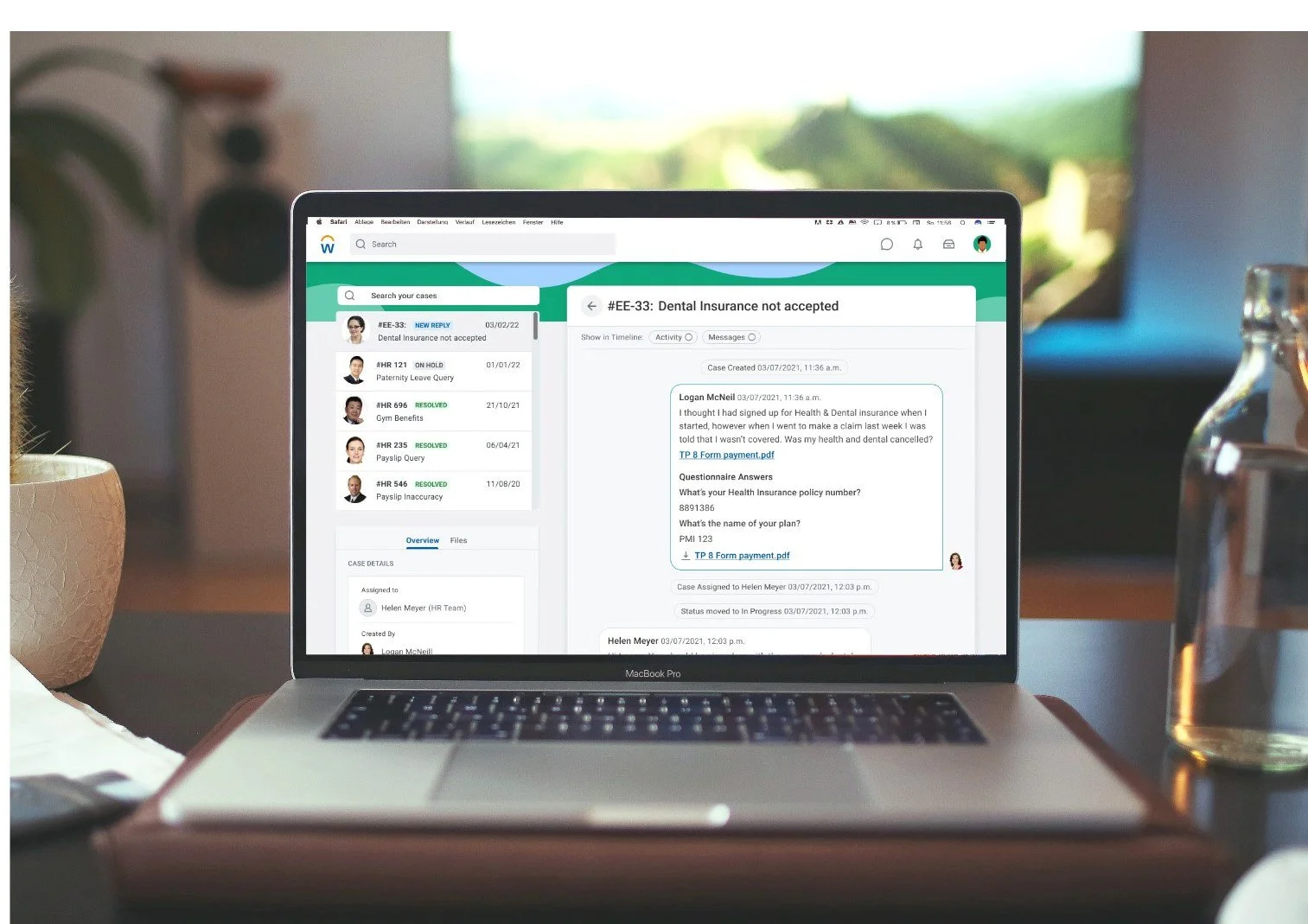
An All-New Employee Experience
Company: Workday
Timeline: 3 months
Date: March 2020 - May 2020
Industry: HR
Project Background
Workday Help was launched to streamline HR support and improve the employee experience in a market crowded with admin‑heavy tools. Early adoption was strong, but we saw a gap: the employee‑facing experience wasn’t keeping pace with the case solver workspace in terms of clarity, learnability, and collaboration. This project focused on re‑imagining the employee journey and aligning it with a redesigned, collaboration‑ready case solver workspace.
Help Workspace for HR teams took priority in development while the Employee Experience was left behind, resulting in customers buying a sub-par XO experience in their Help product suite. One of the pressing product questions that needed an answer was “do we go with a bespoke model of development, like the Help Workspace?”
My Role
I collaborated with another Snr. UXR and two Snr. UXD, as well as facilitating workshops / sprints with one scrum team (PM, UX, Dev). I was responsible for
leading the evaluating the baseline experience
usability testing
co-designing and facilitating a remote participatory design workshop
collaborating with adjacent teams to share insights
incorporating insights from other research studies to inform a cohesive employee experience
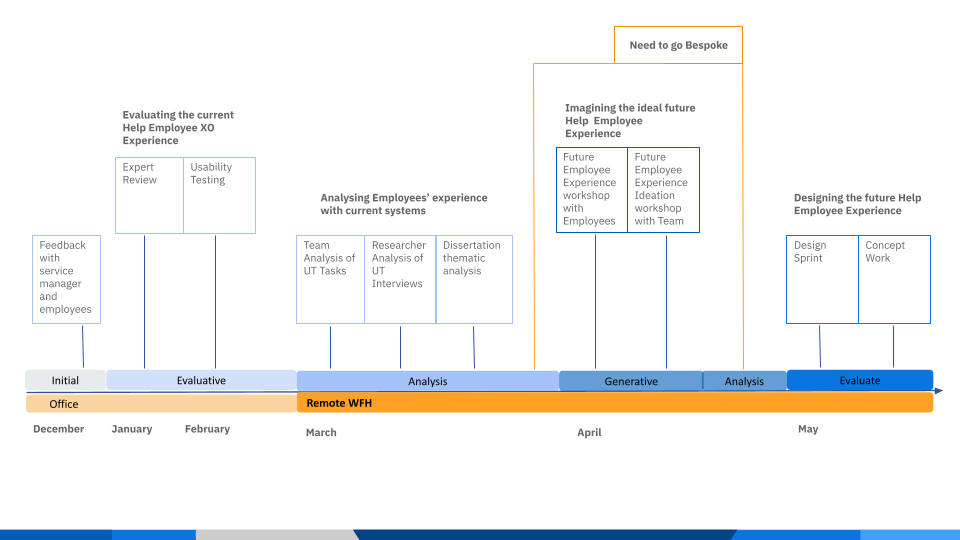
Research Overview
Research stepped in to highlight that this is not just a technical question we need to grapple with, but a far greater research question with hypotheses regarding what problem the experience needs to solve first and foremost:
Assumptions to test:
1) Employees want to interact with case solvers in more natural ways
2) We need to design for the emotional experience of the employee
3) An improved employee experience will impact on the case solver's experience
Evaluating the Current Experience
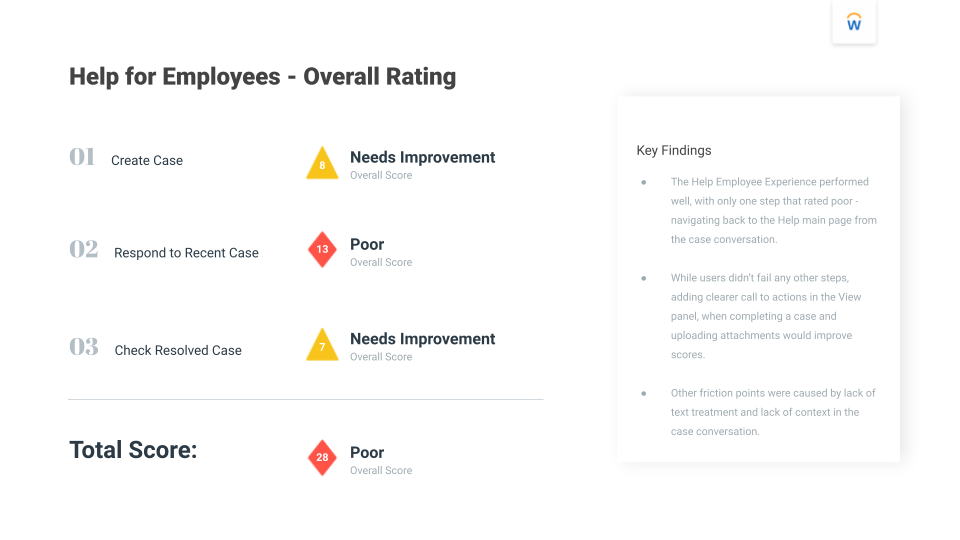
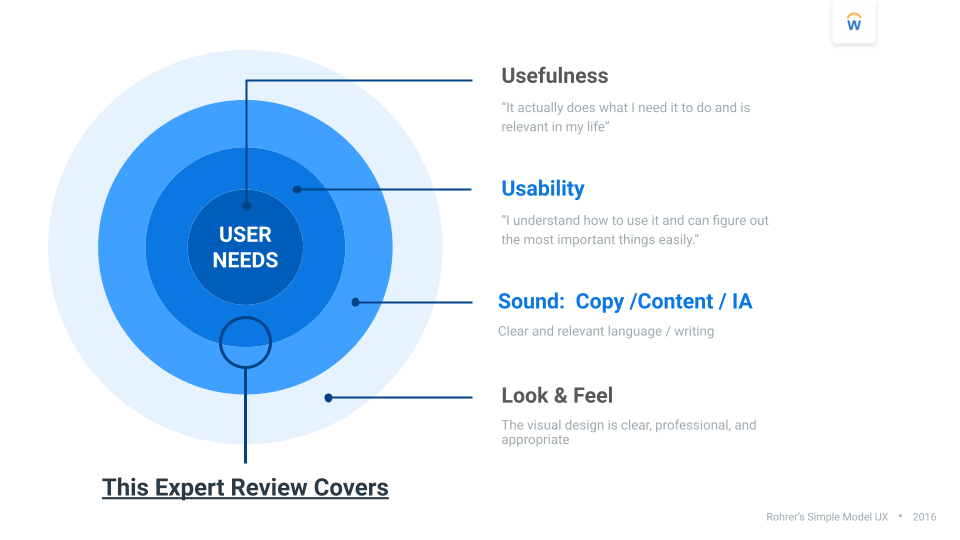
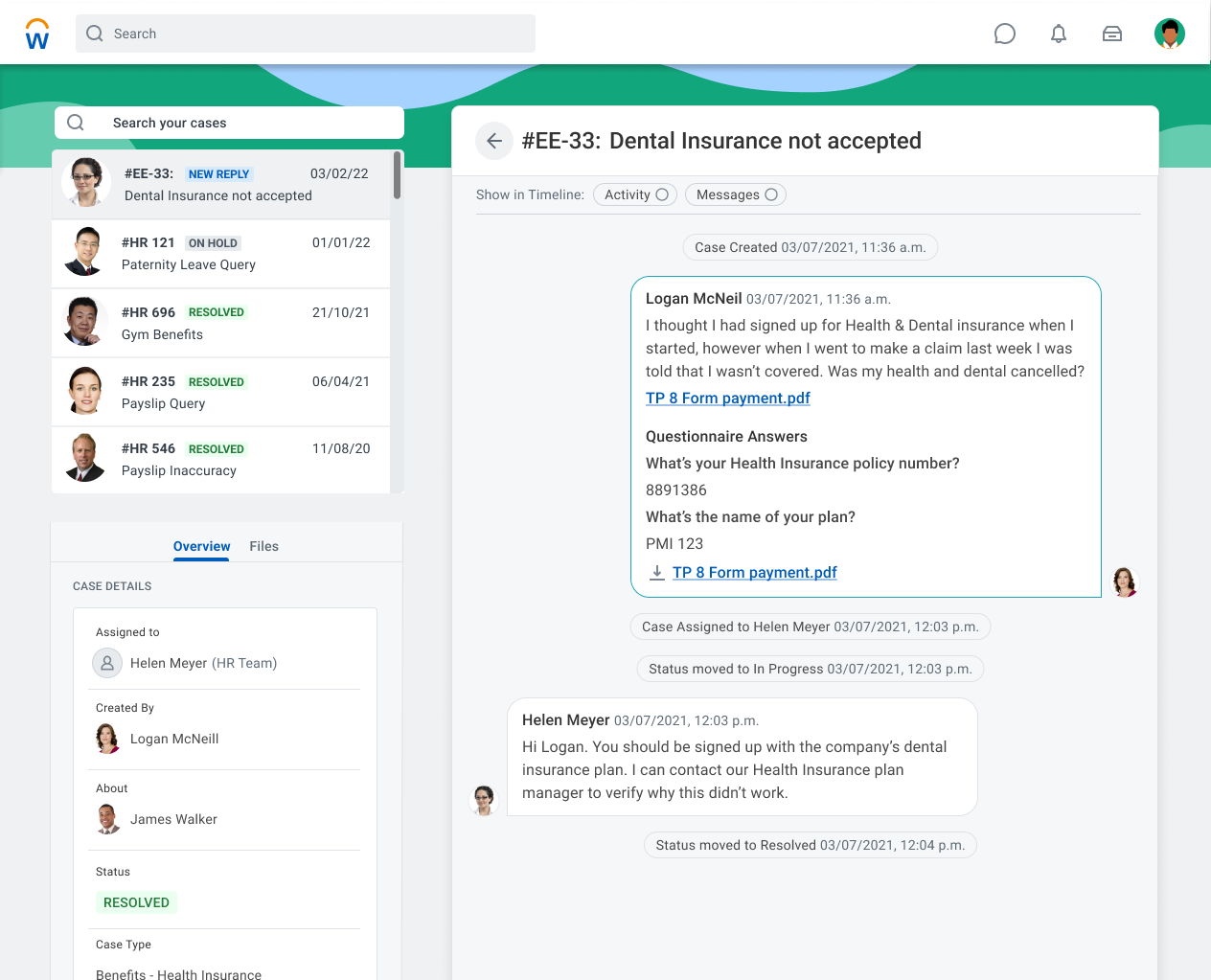
We began with a baseline evaluation to establish a clear, objective view of how employees experienced Help today. Using Workday’s expert review criteria (Usefulness, Usability, Content/IA, Look & Feel), we assessed the core employee tasks:
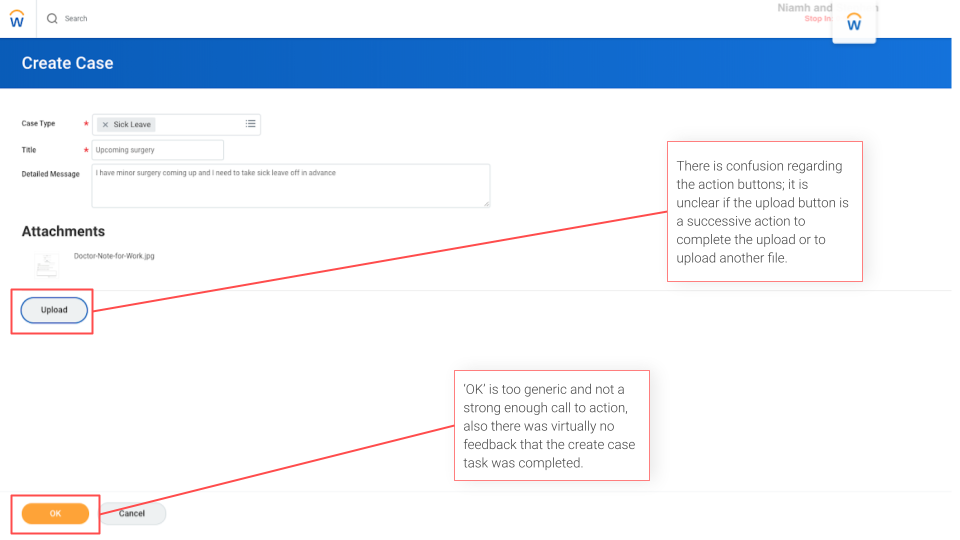
creating a case
responding to a case
reviewing a resolved case
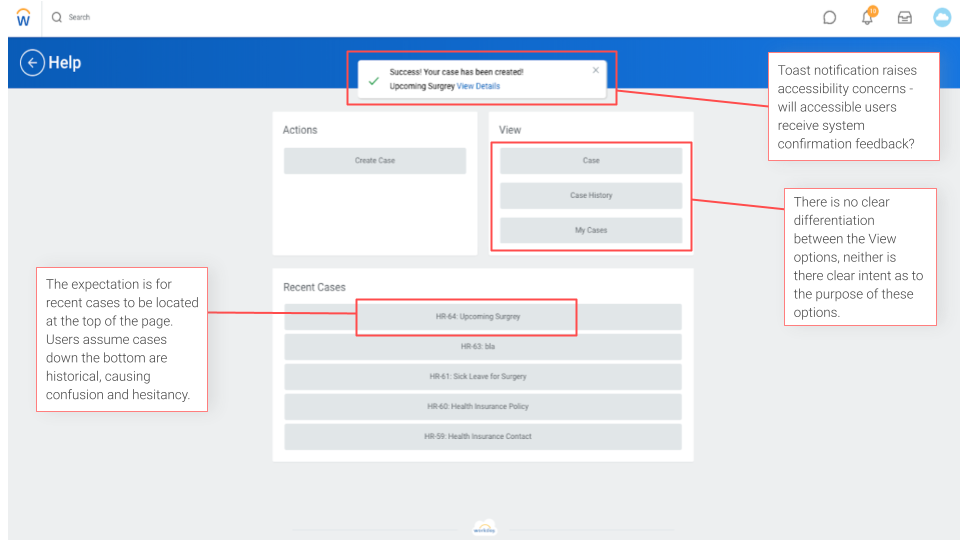
The process highlighted recurring issues: unclear task feedback, inconsistent entry points, missing contextual guidance, and interactions that required unnecessary cognitive effort. Establishing this baseline gave the team a shared understanding of the current pain points, a measurable starting point for improvement, and a focused set of design priorities to guide the next iteration of the employee experience.
Research Findings
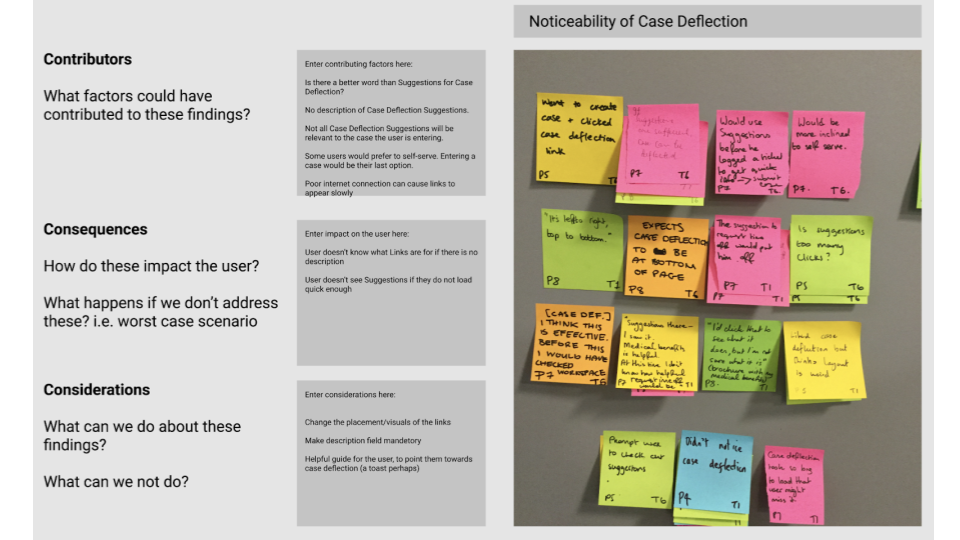
Testing showed that employees routinely ignored or missed case‑deflection options because the links felt generic, weren’t contextual to their question, and lacked a clear connection to what they were doing in the moment. As a result, many skipped self‑service and went straight to starting a case.
Collaborative analysis also surfaced a critical assumption: deflection success depends on disposition and context—some employees naturally prefer to self‑serve, while others seek a human (HR) when stressed or the scenario feels sensitive.
These findings prompted us to introduce Employee Mindsets and validate the emotional journey alongside tasks, so we could design deflection that’s timely, meaningful, and adaptive to how different employees approach getting help.
Usability Testing
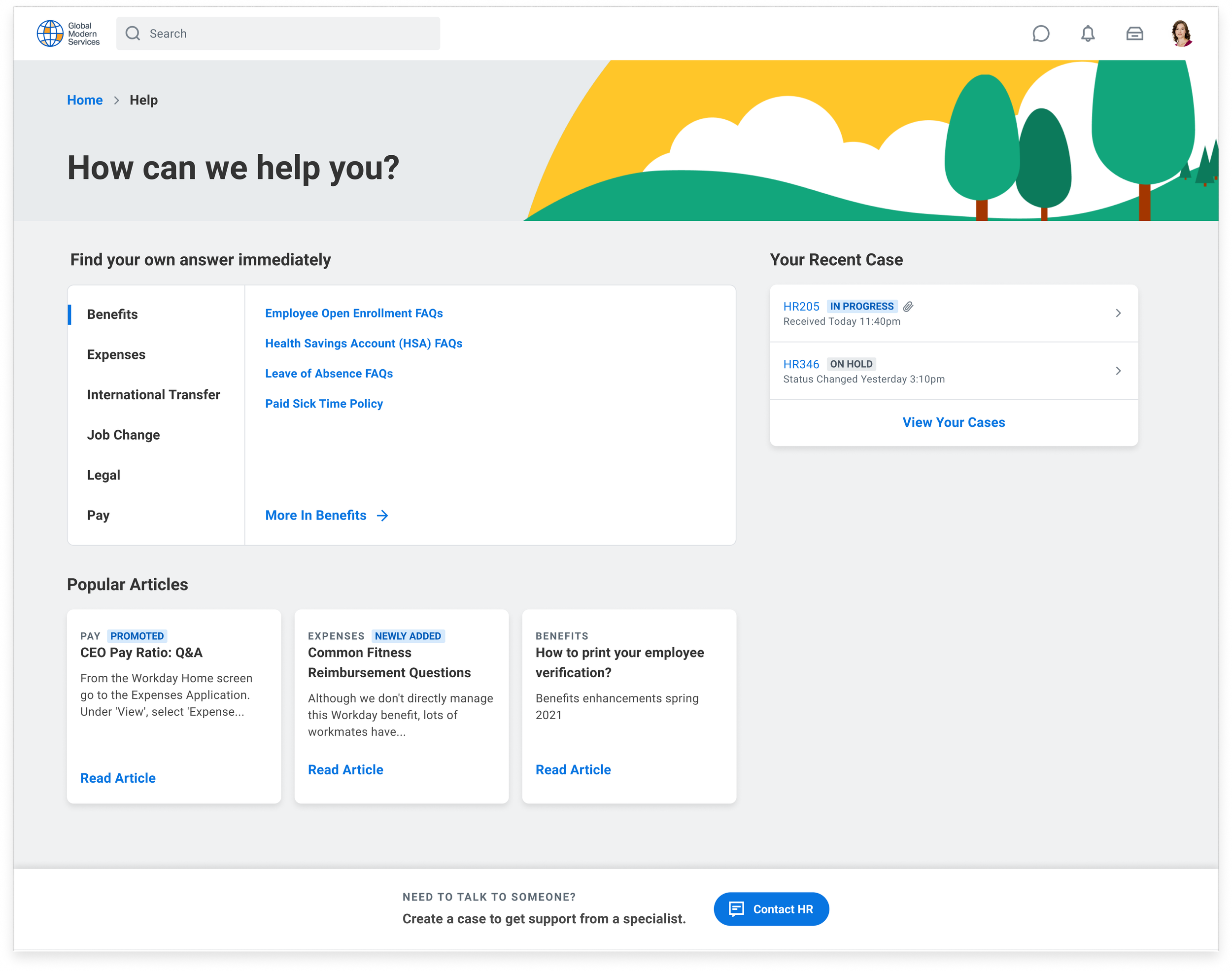
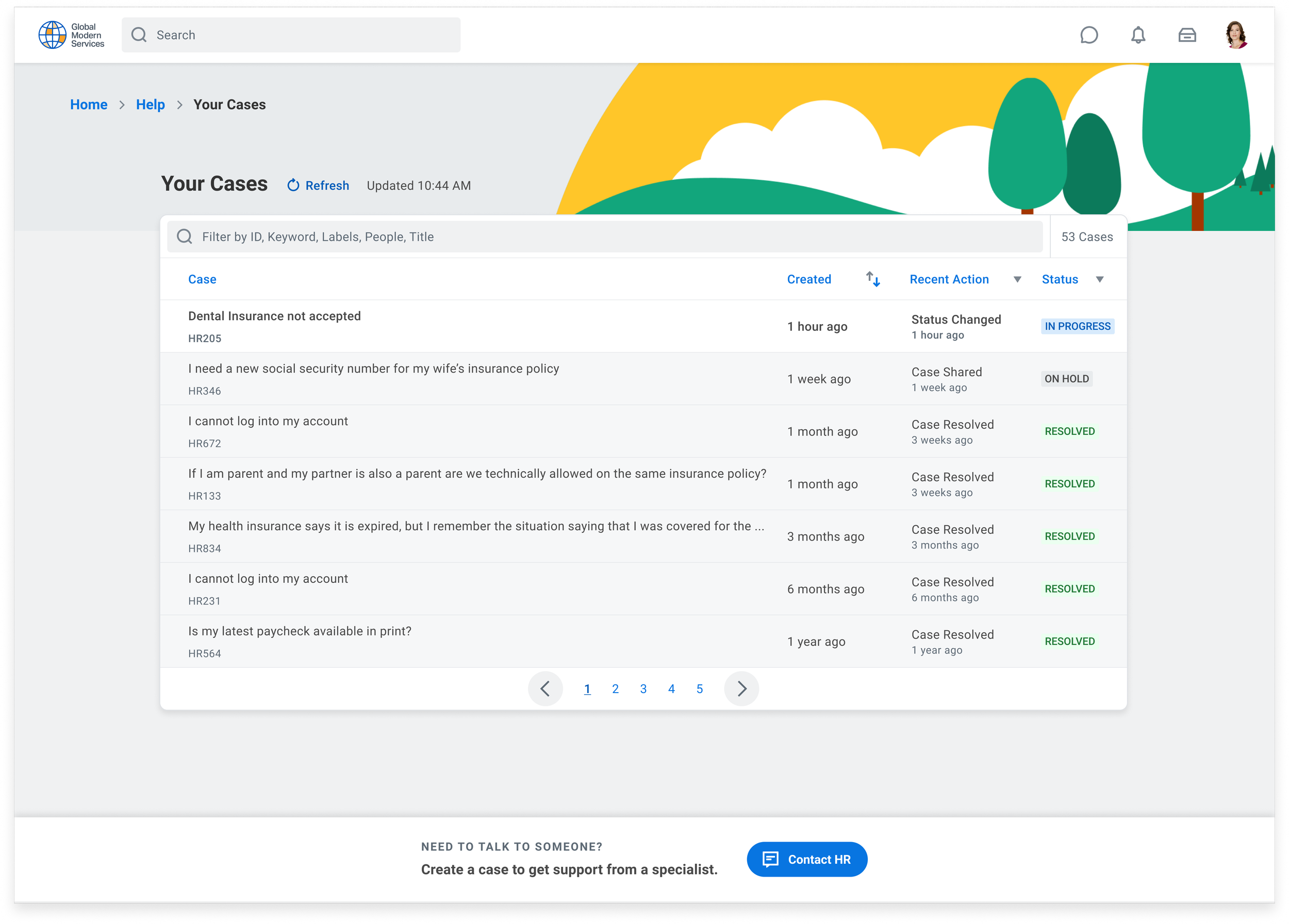
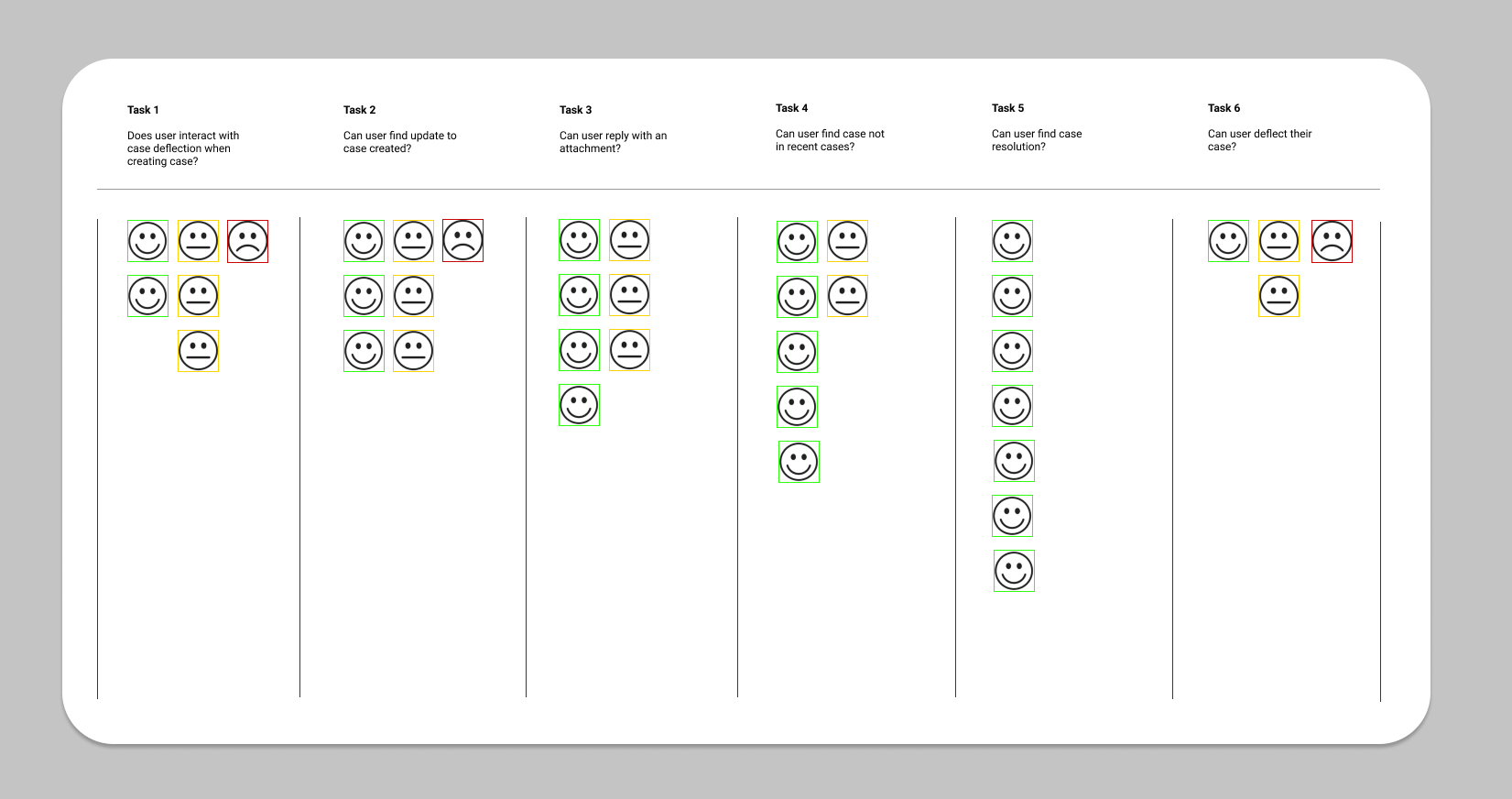
We translated these baseline findings into new concepts aimed at case deflection (answering common questions through self‑service before a case is created) and clearer end‑to‑end task support. In usability testing, I evaluated six core tasks with clickable prototypes designed by one of the Snr. UX Designers:
find information via a more prominent “Get Answers” entry and scoped search with policy cards
start a case with upfront guidance and reason presets to reduce mis‑routing
check case status using a simplified case list with explicit state labels and timestamps
respond to a case in a streamlined conversation with clearer system messages and upload feedback
find past cases through improved filtering and plain‑language categories
close or follow up with clearer next‑step affordances and confirmation states.
Success measures focused on fewer unnecessary submissions (deflection), faster time‑to‑answer for simple queries, and higher confidence scores across these six tasks—ensuring the experience meets employee intent before escalating to Tier 1.
Collaborative Research Analysis
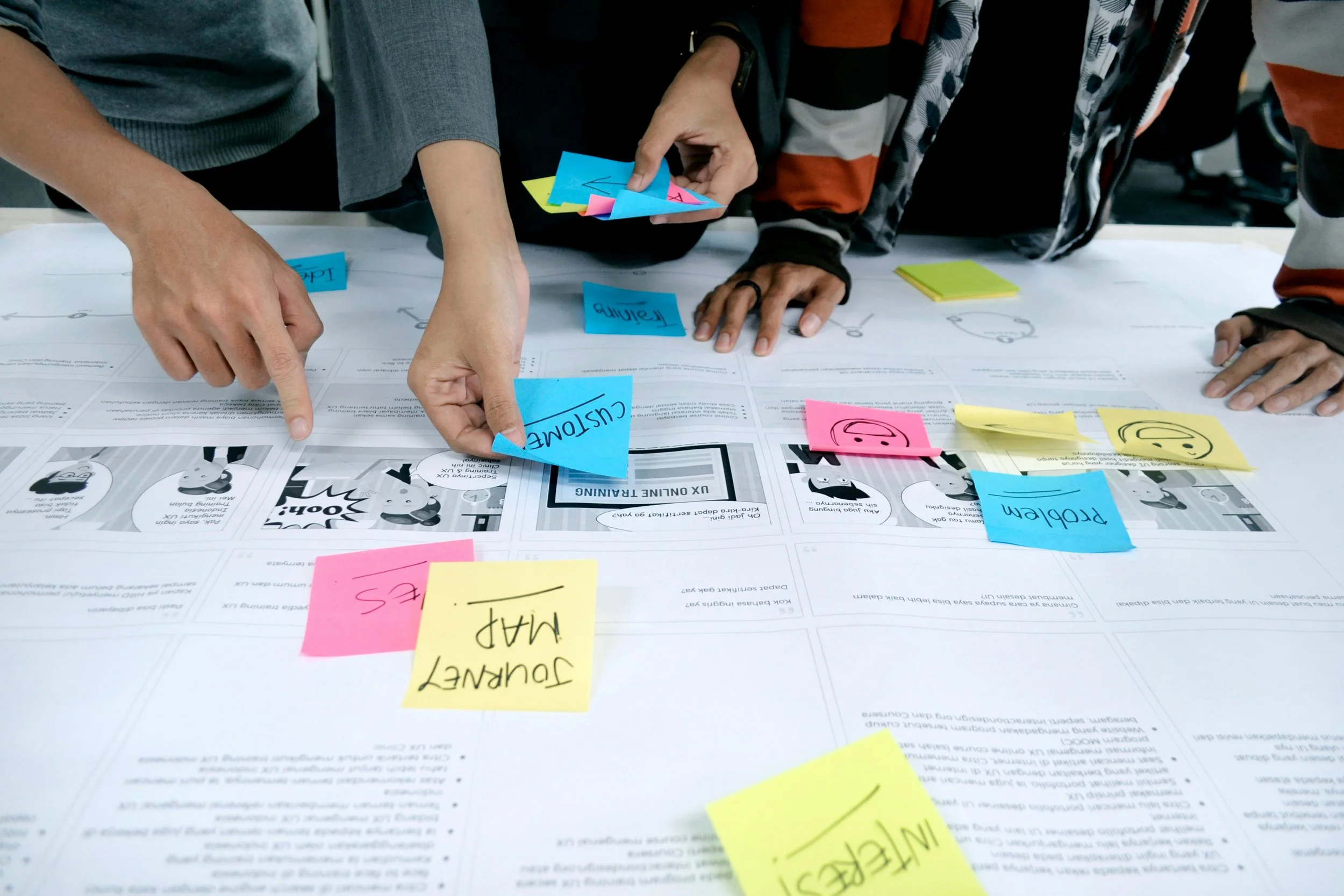
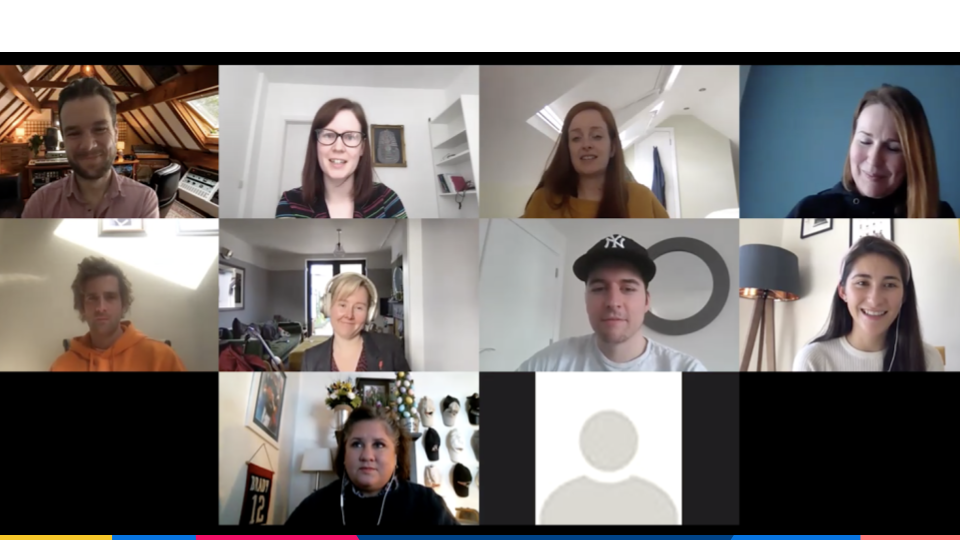
We worked together in the sudden pivot from onsite and in-person research activities to carry out remote team analysis and participatory design workshops with Design, PM and Dev.
The Three C’s exercise I created gave structure and specific analysis questions for team members to answer as the reviewed the raw data. This contributed to:
buy-in from cross-functional stakeholders into final research insights
diverse POVs on what the user pain points were and what might be causing those unmet needs
By mapping these mindsets onto the end‑to‑end journey, we were able to reveal richer insights about motivations, pain points, and the moments where guidance or reassurance mattered most.
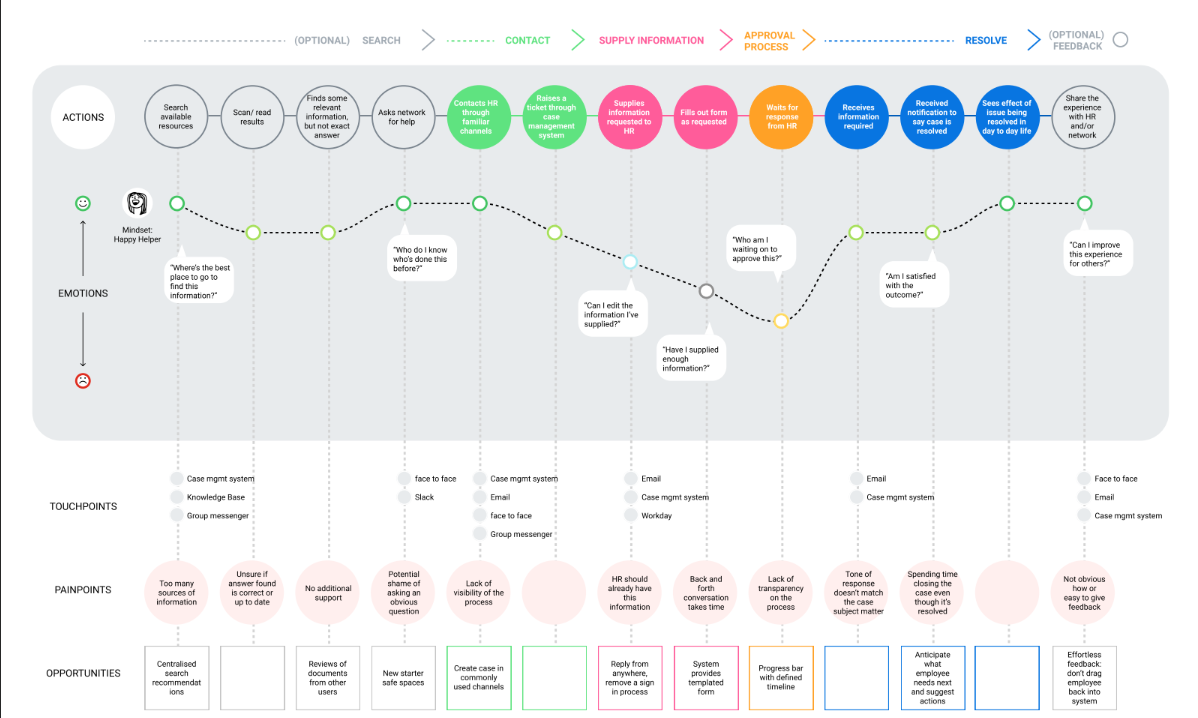
Using ‘As-is’ & Mindsets to Envision the ‘To-be’
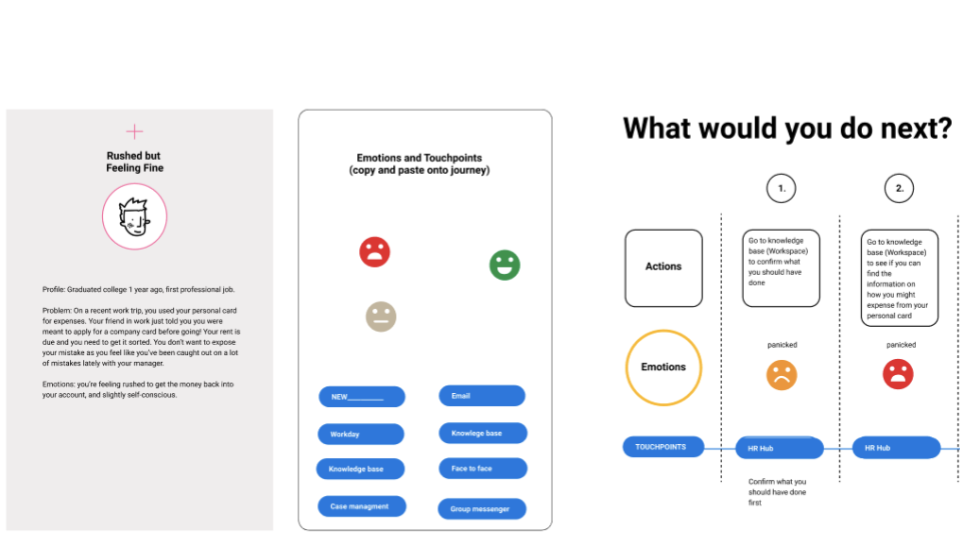
We then validated these insights in a remote workshop where participants stepped into these mindsets, walked through scenario-based prompts, and collaboratively rebuilt the journey. This ensured the final journey model reflected not just process steps, but the lived emotional experience of different types of employees.
Understanding User Mindsets
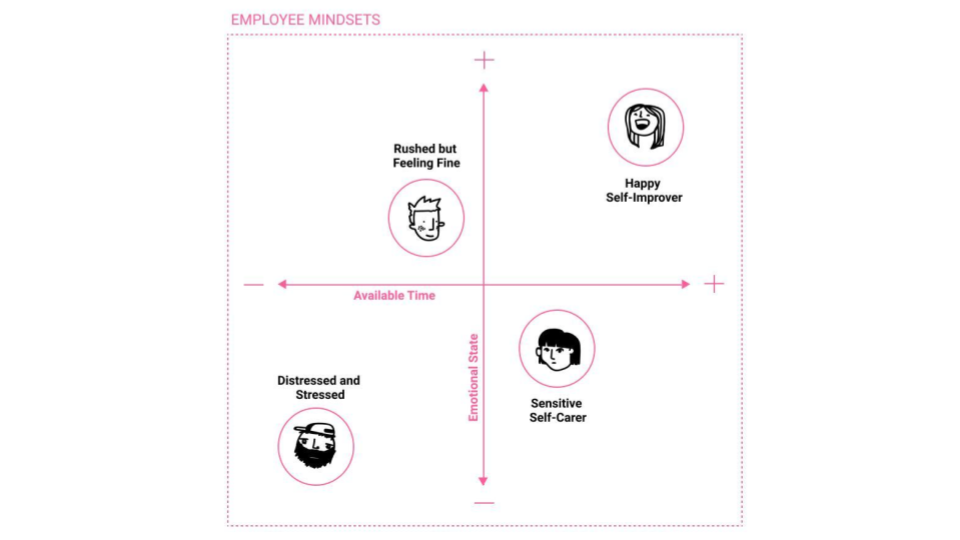
One challenge we encountered was that personas didn't cut it for the Employee, as this user type can vary greatly and experience many different scenarios throughout their repeated interactions with HR. As an alternative, we used 'mindsets' to help us design for the emotional Employee experience.
The employee mindsets helped us uncover deeper emotional and behavioural patterns across the journey by showing how factors like stress, available time, and confidence shaped the decisions employees made when seeking support.
Aha! Moments
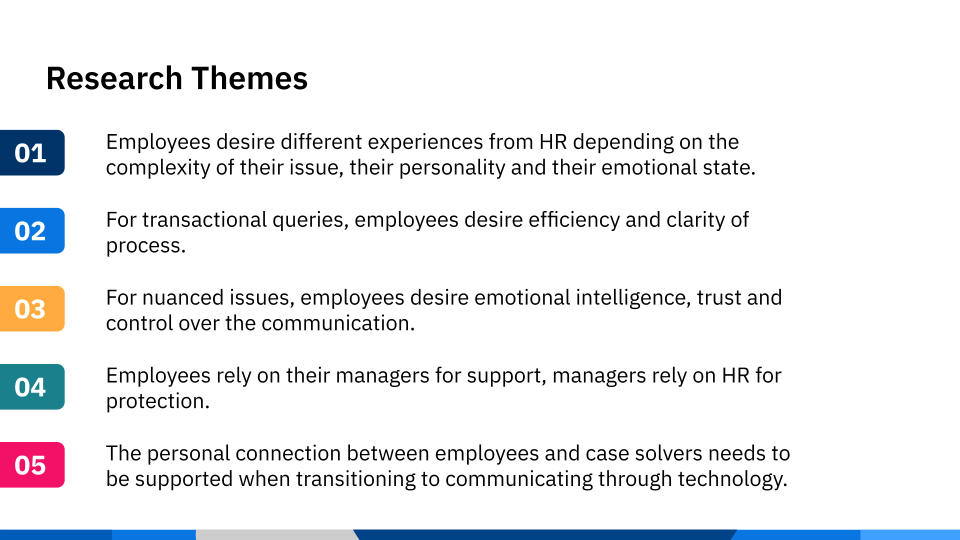
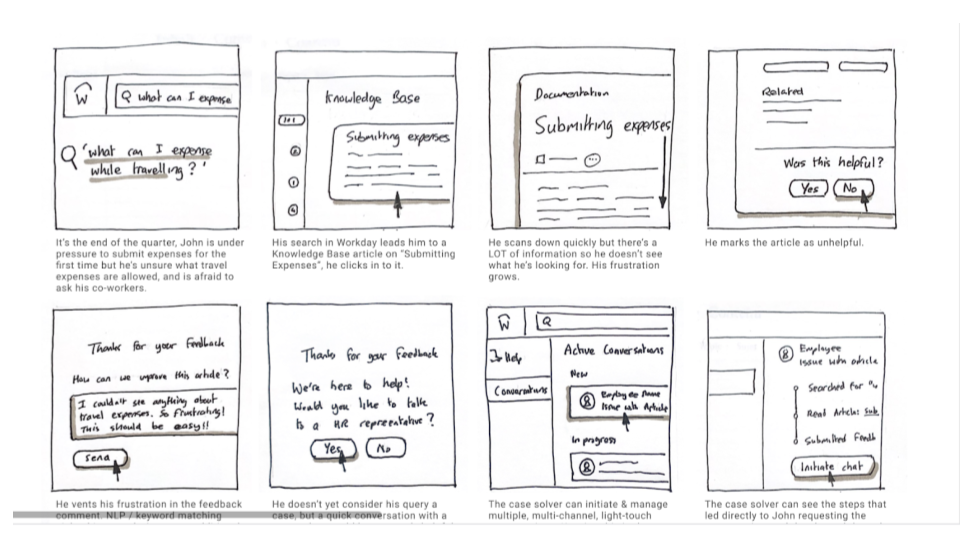
What emerged from our research was this understanding of the range of 'low-touch / high-touch' engagement an employee needs from their HR 'Case Solver'. The research revealed that employees need different types of support depending on the complexity of their query and their emotional state—from fast, efficient answers for transactional issues to reassurance, trust, and human connection for more nuanced or stressful situations.
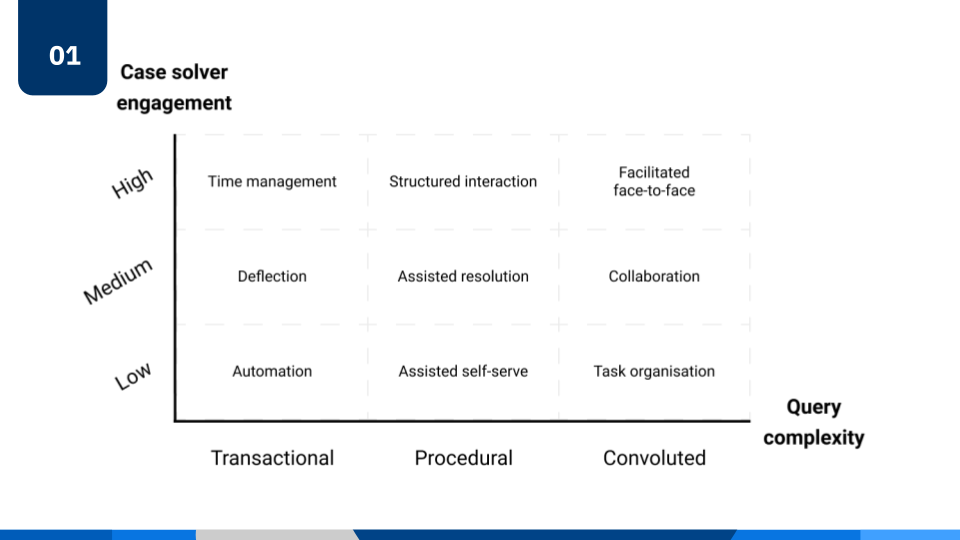
With this user-centred framework, the team was then empowered to generate new concepts and user flows to support these different communication needs and emotional scenarios, incorporating:
Embedded guidance
Predictive search
Progressive disclosure of information
Clear, human-centred language
This shifts the experience from “submitting tickets” to getting support, reducing cognitive load during moments of stress—especially for employees in “distressed” or “sensitive self-carer” mindsets (as surfaced in the mindset framework).
Project Outcomes
Our research surfaced a clear low‑touch ↔ high‑touch engagement spectrum: employees want fast, self‑serve paths for transactional needs, structured guidance for procedural tasks, and human connection for complex or emotional situations.
Baseline testing showed why prior deflection under‑performed—links were not intent‑aligned and felt disconnected from the task at hand. These findings validated our assumptions that natural interactions and emotional design are essential, and that improving the employee experience directly improves the case solver experience through better intake, fewer misroutes, and clearer context.
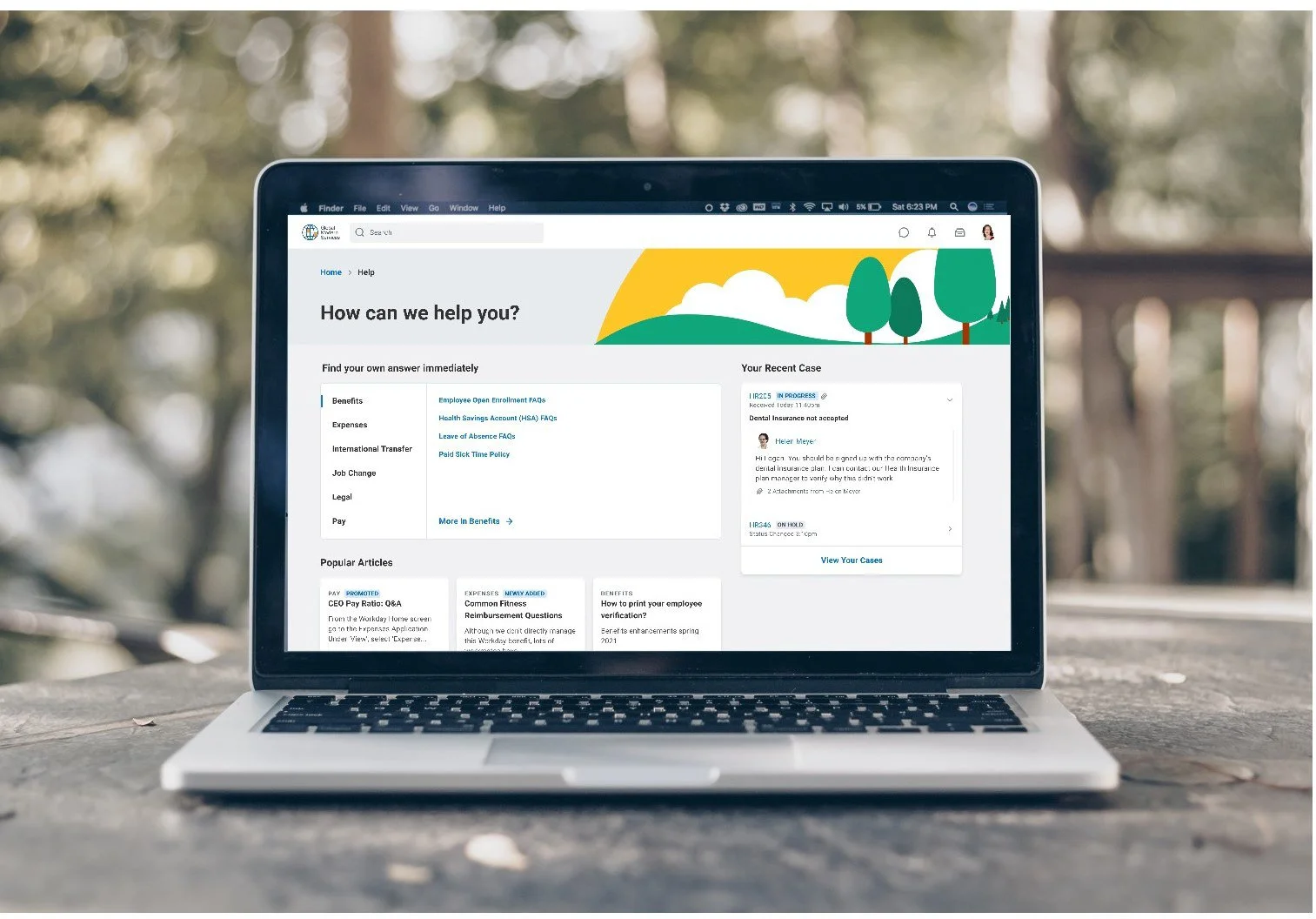
Therefore, we recommend a bespoke Help Workspace that adapts to intent and complexity, orchestrates automation ↔ guidance ↔ human support, embeds meaningful in‑flow deflection, and closes the loop with feedback. This evidence-based approach expected to increase successful self‑resolution, reduce time‑to‑resolution for complex cases, and raise CSAT and solver efficiency—a step change that a generic, one‑path case model cannot deliver.