A HR Workspace Re-imagined
Company: Workday
Timeline: 2 months
Date: October 2021 - December 2021
Industry: HR
Project Background
Workday Help was a new product designed to streamline HR case management and improve the employee experience—competing in a market dominated by feature‑heavy tools like ServiceNow. Early generative research highlighted an opportunity to differentiate not through more features, but through simplicity and support for Tier 1 case solvers, who often struggled with complex interfaces and rigid triage processes.
Our team successfully launched the product, exceeding early expectations (customer acquisition +80%, ACV +140%). The next challenge was ensuring organisations could confidently go‑live and migrate their HR teams to a new workflow without friction.
My Role
I partnered closely with Product Management to understand the change‑management issues preventing smooth adoption of Help in real-world HR teams. My responsibilities included:
Aligning research goals with product strategy
Managing timelines and expectations across HR Directors, HR Admins, Product Directors
Coordinating with Workday system configurators to create fully functioning sandboxes for participants
Guiding stakeholders through research insights to reshape product direction.
Research Methodology
Stakeholder interviews revealed a blind spot: product decisions were being shaped primarily by HR Admins and HRBPs, not by the Tier 1 case solvers who would spend all day in the workspace. Their needs, frustrations, and learning curve were underrepresented.
To correct this, we needed to:
Establish a baseline understanding of first‑time user experience
Quantify early usability and usefulness to track improvements
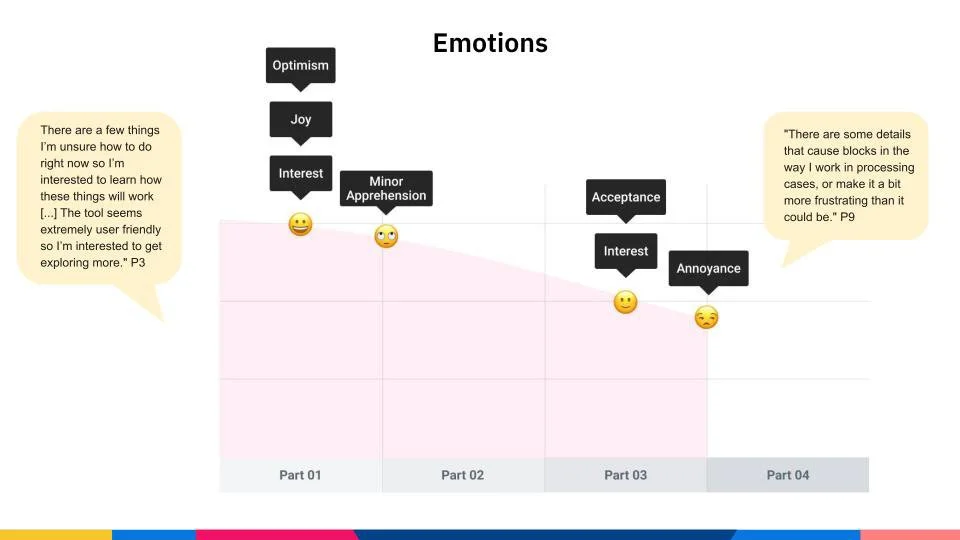
Reveal emotional highs/lows during onboarding
Elevate the voice of the end-user in product decision-making
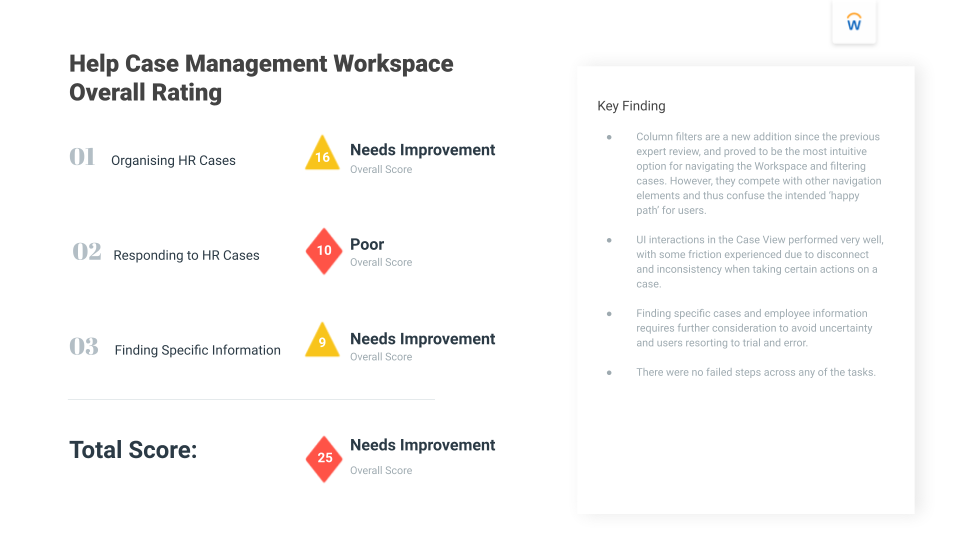
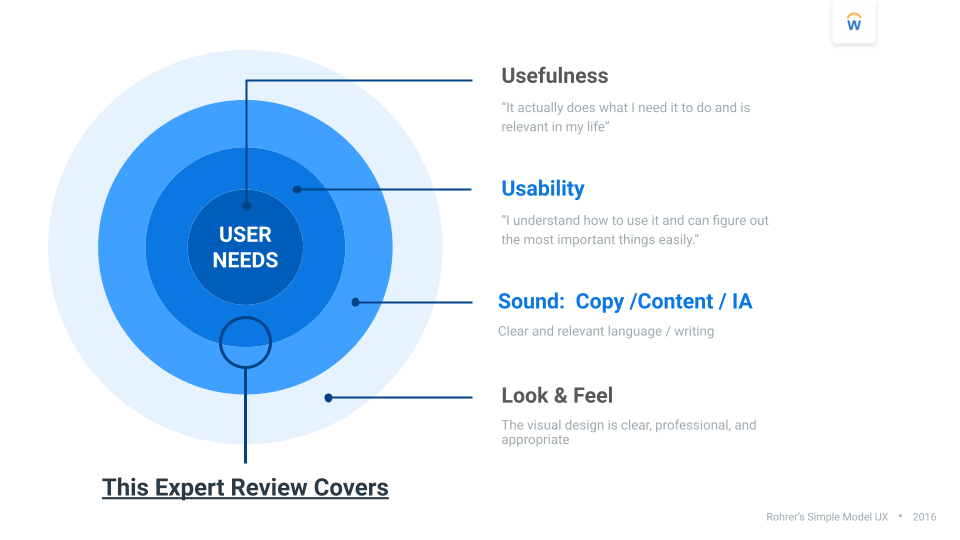
Using Workday’s expert review framework (Usefulness, Usability, Content/IA, Look & Feel), I performed a structured evaluation to benchmark the workspace and identify gaps before deeper research began.
Execution:
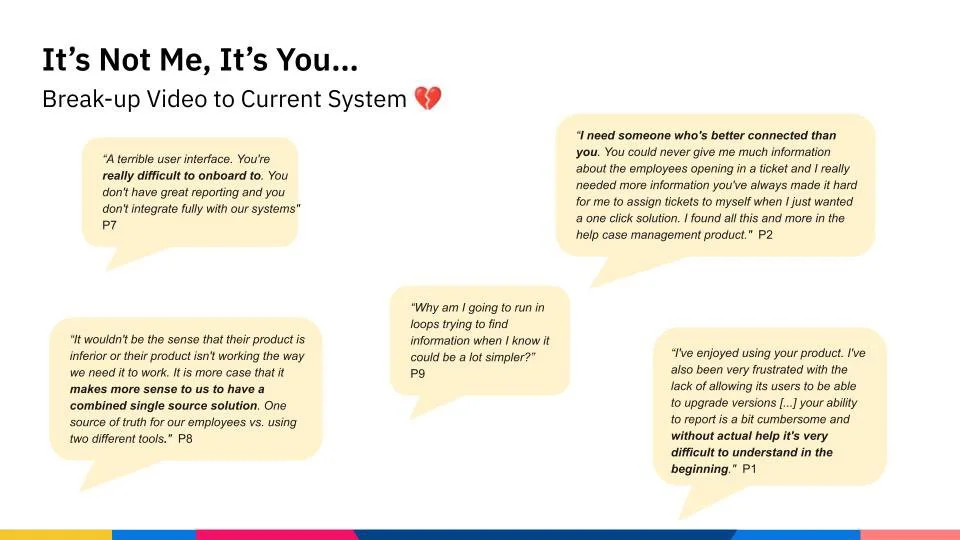
Captured behaviour, satisfaction, attitudes, and feedback through missions, moments, and video snippets
Observed how users navigated the workspace while balancing competing HR tasks
Mapped emotional shifts across the journey—from optimism and curiosity to moments of frustration and recovery
Highlighted where the system supported problem-solving vs. where it created unnecessary cognitive load
Research Method
Diary Study: Understanding first-time use in-context
To capture rich, contextual insights, I designed a two‑week diary study via Dscout, focusing on case solvers using Workday Help in their natural work environments to track learnability, workflow adoption, and moments of friction over time.
Recruitment Criteria:
HR professionals already using Workday
Mix of Tier 1 case solvers, HR coordinators, and junior HR team members
Balancing user needs - together
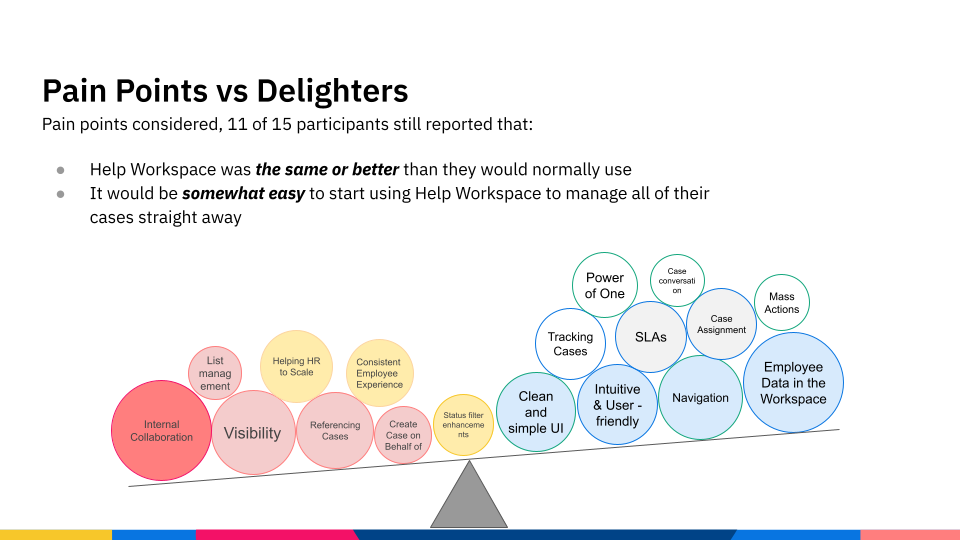
What the team came to realise was that we had achieved our product goal of creating a user-friendly, familiar Workspace interface that is seamless to onboard to; but without supporting 'internal collaboration' on cases, there remained significant change management issues that would prevent key customers going-live.
Although this was bitter-sweet news for the team, this study succeeded in clearing the fog for what the most pressing problem to solve was: enabling case solvers to share and collaborate on cases without compromising Workday Help's tight security.
Analysis & Synthesis
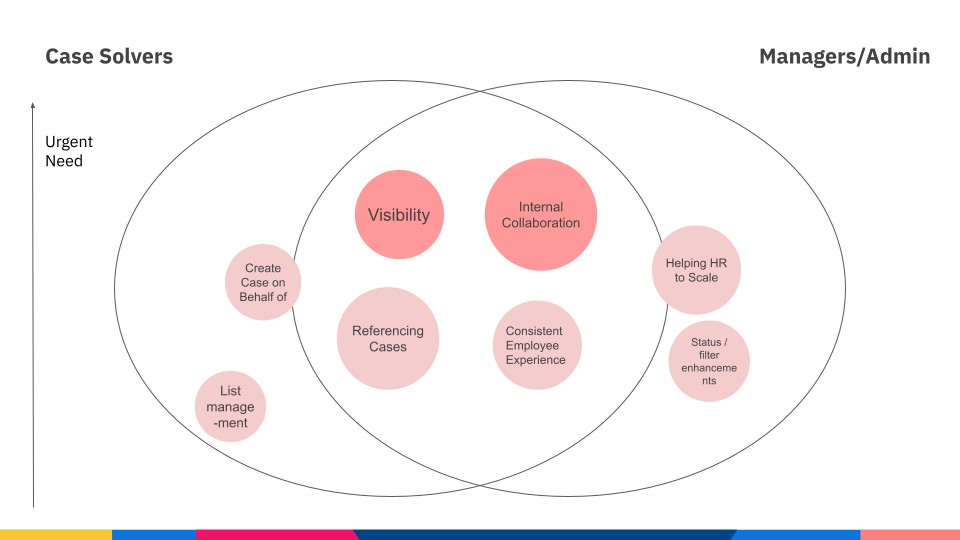
Differentiating urgent needs for end-users
After differentiating the needs of our target users and highlighting key themes for focus, we affinity diagrammed the data with Product Managers to identify highest problems to solve from both perspectives. This exercise and visual highlighted the most pressing problems experienced by all users, and others which had been getting more attention but weren't in fact affecting the end-users (Case Solvers), such as status enhancements for reporting purposes.
Insights to Action
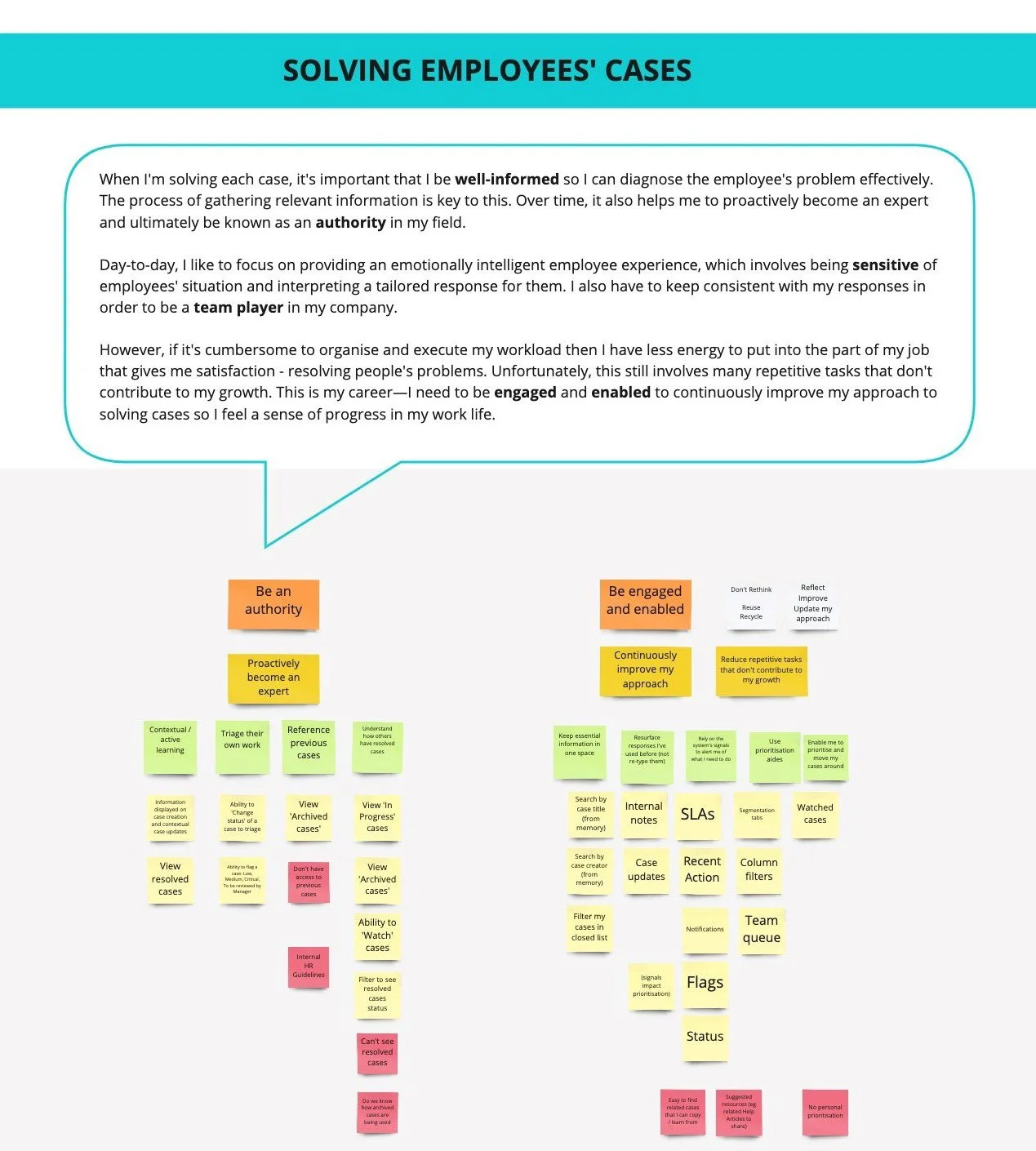
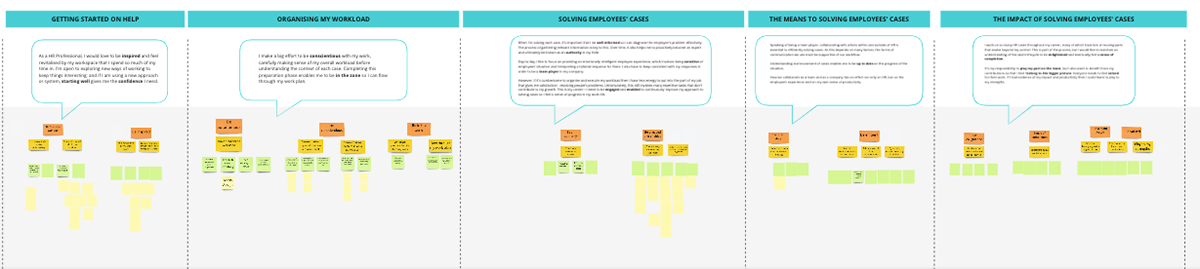
Intent framing exercises reviewed the core user goals, the actions those goals require, and the system behaviours needed to support them. This shared understanding directly informed which parts of the experience needed to be redesigned first, ensuring prioritisation was driven by real user intent, not assumptions or technical constraints.
While the product team worked on the technical logistics and security rules, our UX team conducted a design audit of the Workspace and concluded that the current layout was cluttered, lacked intention in its information hierarchy and wouldn't sufficiently support the addition of new collaboration features. In order to understand users’ intent, we needed updated user goals to act as a guide.
At this point, I carried out a large-scale synthesis (see Product Research Review for more) which looked at: our baseline expert review; usability tests; diary study; and previous studies, to infer goals, actions and methods that then informed intent framing exercises with UX, PM and Dev.
A Re-imagined Workspace
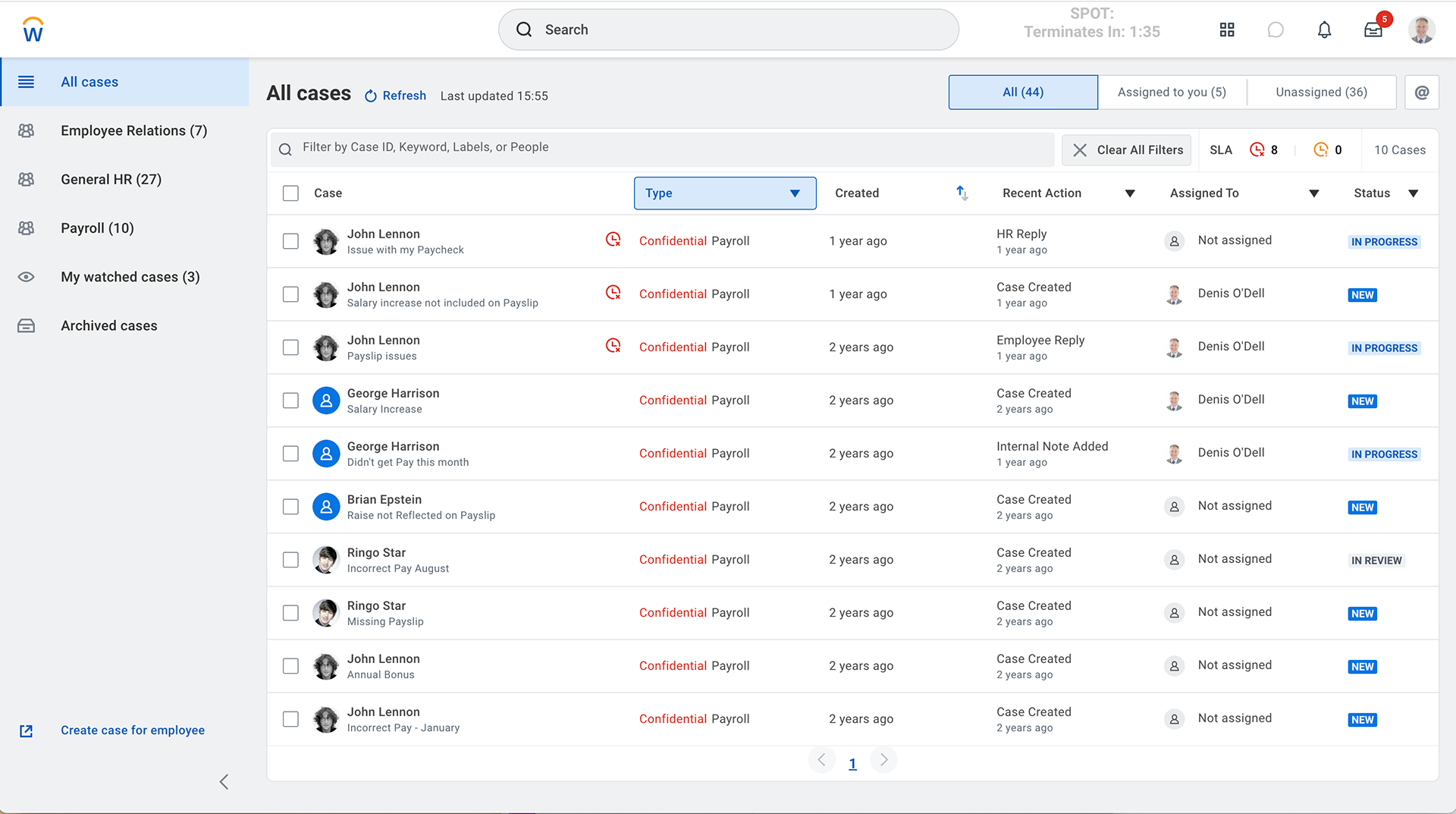
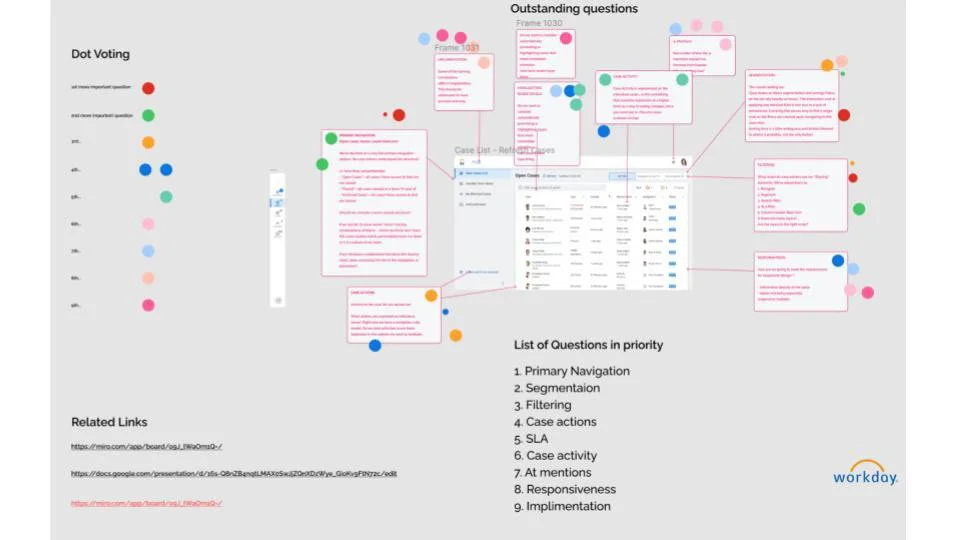
The research‑driven intent framing exercises highlighted that case solvers needed faster ways to collaborate and maintain shared awareness while working on complex employee cases.
As a result, @mentions, internal notes and case activity were prioritised in the redesigned experience because they directly support real‑time coordination, reduce handoff friction, and make collaboration visible within the workflow.
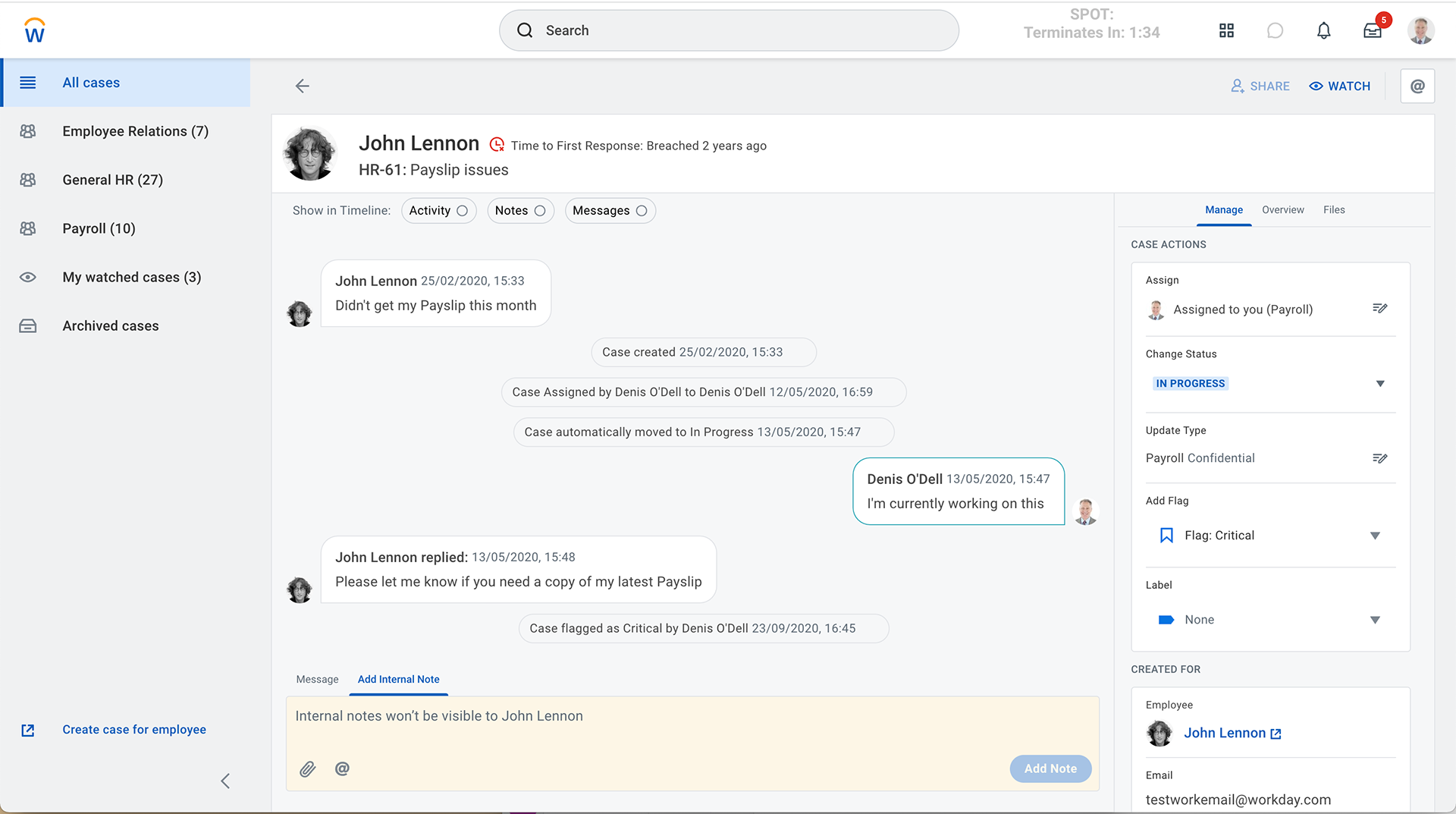
These features were introduced alongside improvements to navigation, segmentation, and filtering, all deliberately re‑designed around users’ core goals of finding, organising, and resolving cases with greater confidence and efficiency.
Project Outcomes
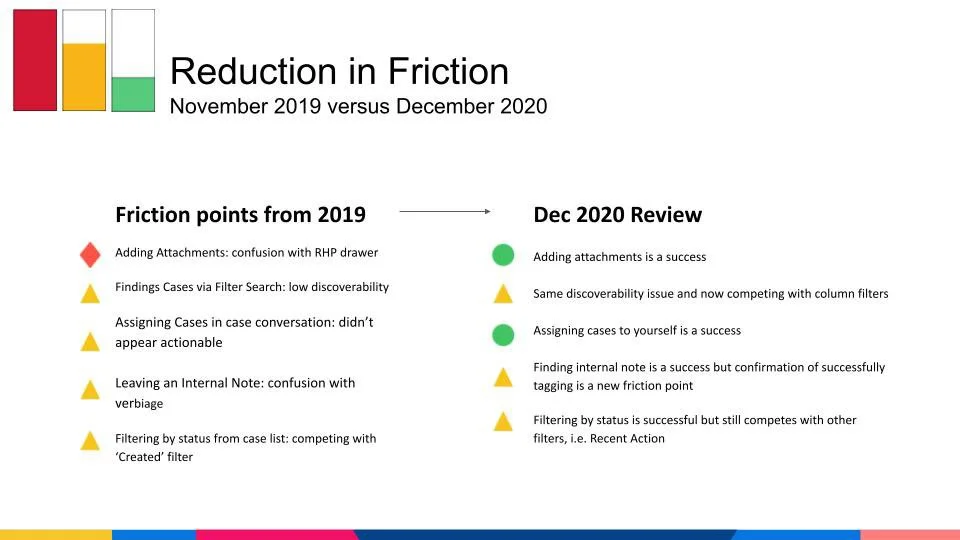
Not only did the team achieve a huge milestone satisfying both Case Solvers' need to collaborate and HR Admins' need to track statuses for reporting, but we also improved 5 usability issues in the process which increased the Expert Review score by 36% from the initial baseline. Despite the delays and bumpy roads, we had 100 customers go-live, reaching the target for 2021.